
Once a CO2 incubator has been selected, preparing for delivery involves more than finding a power socket. The installation site, gas connection, backup power and acceptance plan all affect when the laboratory can start using the equipment. Agree these details with the laboratory lead, facilities team and supplier before placing the order.
Compare equipment in the CO2 incubator category. This guide focuses on checking that the room is ready for the model you have already selected.
1. Check the delivery route and installation space
Compare the dimensions of both the instrument and its shipping package with doorways, lifts and corridors. Check the weight, the load capacity of the bench or stand, and the space needed to open the door and remove shelves. Leave access for servicing the rear panel as well.
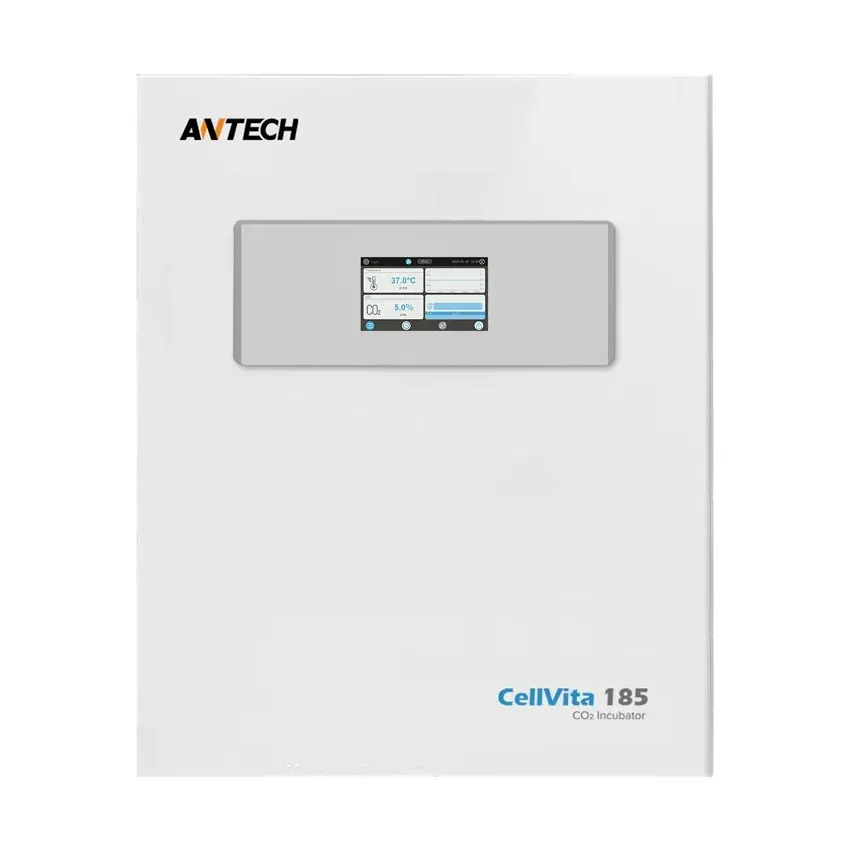
For example, the Antech CellVita 185 product listing gives external dimensions of 715 × 820 × 870 mm (width × height × depth) and a weight of 85 kg. These are instrument dimensions; confirm the shipping dimensions and installation clearances separately.
Assess room temperature, nearby heat sources, sunlight and air currents. Ventilation openings must remain unobstructed. Use the specific model's installation instructions for exact wall clearances and permitted ambient conditions.
2. Agree the gas supply before the engineer arrives
Establish whether CO2 will come from a cylinder or a central supply. Give the engineer the manufacturer's requirements for gas purity, inlet pressure, regulator, tubing and fittings. Select the regulator and tubing as parts of one agreed connection system.
Room ventilation and gas leak risks should be assessed; the responsible team should determine atmospheric monitoring needs for the actual site. Agree cylinder securing, access to shut-off valves, leak testing and the procedure for changing the gas source.
If the process requires O2 control, specify it before purchasing. A tri-gas configuration is optional in the CellVita series; a standard CO2 model should not be assumed to support that operating mode. The gases and connection arrangement must follow the documentation for the ordered configuration.
3. Size the power supply for the required operating modes
Check voltage, frequency, protective grounding and socket accessibility. If a UPS is planned, provide its supplier with the incubator's maximum load, the required runtime and the operating modes that need backup support.
The CellVita 185 listing states 85 W at 37 °C and a maximum power of 1300 W. Steady-state consumption alone is therefore insufficient for sizing backup power. Separately agree whether the high-temperature treatment cycle needs to run on the UPS.
4. Decide who will receive alarms
List the parameters to be monitored: temperature, CO2 and any other measurements supported by the configuration. Agree how records will be stored, who can access them, how often they will be reviewed and who is responsible outside working hours. An audible alarm at the instrument and a remote notification are separate functions.
Antech describes remote monitoring for CellVita as an option. Before ordering, confirm the required module, connection conditions and compatibility with the laboratory's IT policies.
5. Prepare an acceptance plan
- Check the model, serial number, supplied items, shelves and ordered options.
- Check installation, gas connections and electrical connections against the instructions.
- Agree initial cleaning, humidification water quality and approved cleaning products.
- After stabilisation, check operating parameters and alarms against the approved plan before loading working cultures.
- Keep the results, train users and establish a maintenance schedule.
If the laboratory's quality system requires installation or operational qualification, include its scope and deliverables in the supplier enquiry. Delivery of the instrument alone does not demonstrate that these activities have been completed.
What to include in a quotation request
Specify the model, installation location, gas supply parameters, available electrical supply, and any need for a UPS or remote alarms. Add the required services: delivery to the installation point, connection, training, parameter checks and qualification. This makes it easier to obtain a quotation for a complete working setup with a clearly defined scope of supply.
Frequently asked questions
Can cultures be loaded immediately after delivery?
Plan the start of work after installation, preparation and parameter checks in accordance with the manufacturer's instructions and laboratory procedures. The waiting and stabilisation times depend on the model and transport conditions.
Are the cylinder, regulator and commissioning included?
These items and services should be explicitly listed in the quotation. Review the equipment package, gas connection components and engineering services as separate line items.
Sources and documentation
- Antech Scientific — CellVita series
- Thermo Scientific — HERACELL 150i / 240i GP, operating instructions, installation
- Thermo Scientific — water-jacketed CO2 incubator, installation and gas supply
Sources checked on 24 September 2026. Confirm the current configuration and scope of supply before ordering.