


|
Quantity
|
Total
|
||
|
|
|||
|
|
|||
Purpose and range
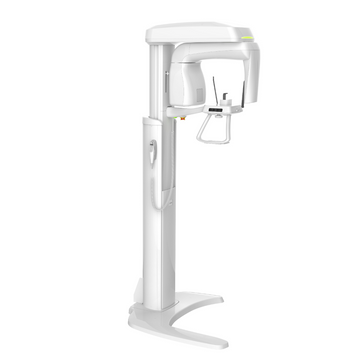
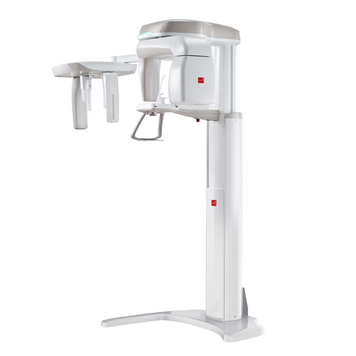
Panoramic dental systems create two-dimensional views of the dental arches and jaws. The catalogue includes ACTEON X-MIND PRIME 2D, Vatech PaX-i and Xline Stellaris, with different programmes, positioning systems and cephalometric configurations.
Types and differences
XDI-200 provides panoramic 2D imaging without cephalometry; XDI-250 adds OneShot cephalometry. Both have nine panoramic programmes and a 98 µm pixel in the Stellaris brochure. A 2D detector does not imply CBCT capability; volumetric imaging requires a 3D configuration.
How to choose equipment
Compare required panoramic, segment, joint and cephalometric programmes. Check detector type, exposure times, seated-patient access and image archiving. Compare complete packages including software, workstation and installation.
Room preparation
Before ordering, check access routes, ceiling height, fixation, power and network. A cephalometric arm increases required width. Plan placement and shielding from the specific system’s installation documentation.
Models and prices
Current models and prices; consult each product page for configuration and availability.
| Model | Price |
|---|---|
| ACTEON X-MIND PRIME 2D panoramic X-ray system | 691 145.00 UAH |
| Vatech PaX-i Plus NP panoramic X-ray system (PCH-30CS) | 902 351.00 UAH |
| Vatech PaX-i SC panoramic X-ray system (PCH-2500) with cephalometry | 1 426 665.00 UAH |
| Panoramic dental X-ray system Xline XDI-250 with cephalometry | 2 157 079.00 UAH |
| Panoramic dental X-ray system Xline XDI-200 | 1 476 706.00 UAH |
Configuration and ordering
The Xline brochure includes a computer with imaging software and a patient database, but no monitor. Specify DICOM, PACS/RIS and extra licences separately. Confirm other brands’ packages individually. Product pages display prices and availability.
Related equipment
Dental suction systems · Dental cone-beam CT scanners · Intraoral X-ray units
Frequently asked questions
How do the models differ?
XDI-200 provides panoramic 2D imaging without cephalometry; XDI-250 adds OneShot cephalometry. Both have nine panoramic programmes and a 98 µm pixel in the Stellaris brochure. A 2D detector does not imply CBCT capability; volumetric imaging requires a 3D configuration.
What is included in the price?
The Xline brochure includes a computer with imaging software and a patient database, but no monitor. Specify DICOM, PACS/RIS and extra licences separately. Confirm other brands’ packages individually. Product pages display prices and availability.
What should be checked before installation?
Before ordering, check access routes, ceiling height, fixation, power and network. A cephalometric arm increases required width. Plan placement and shielding from the specific system’s installation documentation.
How should a configuration be selected?
Compare required panoramic, segment, joint and cephalometric programmes. Check detector type, exposure times, seated-patient access and image archiving. Compare complete packages including software, workstation and installation.