


|
Quantity
|
Total
|
||
|
|
|||
|
|
|||
Purpose and range
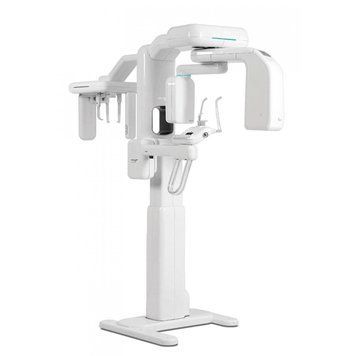
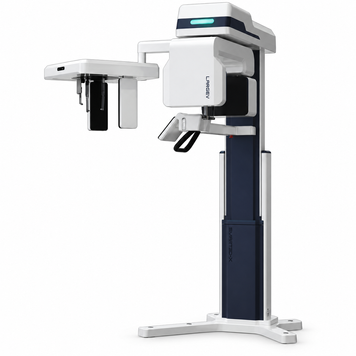
Dental CBCT scanners create three-dimensional views of teeth and maxillofacial structures. The range includes LargeV Smart3D-X, Genoray PAPAYA and Xline Stellaris. Selection depends on field of view, acquisition modes and software tools.
Types and differences
XDI-300 combines 3D and panoramic 2D without cephalometry; XDI-350 adds OneShot cephalometry. Both have eight FOVs up to 11 × 10 cm and 190/80 µm STD/HD voxels. Voxel size and field of view describe different capabilities.
How to choose equipment
Start with the required anatomy and clinical workflow. Compare FOV, resolution in the relevant mode, artefact correction, positioning and licences. Panoramic imaging, cephalometry, model scanning and implant planning depend on the model and configuration.
Room preparation
Check dimensions, movement envelope, weight, fixation and patient access. Coordinate workstation networking and image storage. Design installation and room protection for the exact configuration, including any cephalometric arm.
Models and prices
Current models and prices; consult each product page for configuration and availability.
| Model | Price |
|---|---|
| LargeV Smart3D-X dental CBCT scanner | 1 849 750.00 UAH |
| Genoray PAPAYA 3D Plus 16×14 Dental CBCT with Cephalostat | 2 470 000.00 UAH |
| Genoray PAPAYA 3D Premium Plus 23×24 Dental CBCT with Cephalostat | 4 680 000.00 UAH |
| Dental CBCT scanner Xline XDI-350 with cephalometry | 3 666 922.80 UAH |
| Dental CBCT scanner Xline XDI-300 | 2 970 806.00 UAH |
Configuration and ordering
The price-list note includes implant-planning software and Baseplate for XDI-300 and XDI-350. The brochure lists a computer with basic software but no monitor; integration modules require separate specification. Record licences, workstations and commissioning tasks.
Related equipment
Dental suction systems · Panoramic dental X-ray systems · Intraoral X-ray units
Frequently asked questions
How do the models differ?
XDI-300 combines 3D and panoramic 2D without cephalometry; XDI-350 adds OneShot cephalometry. Both have eight FOVs up to 11 × 10 cm and 190/80 µm STD/HD voxels. Voxel size and field of view describe different capabilities.
What is included in the price?
The price-list note includes implant-planning software and Baseplate for XDI-300 and XDI-350. The brochure lists a computer with basic software but no monitor; integration modules require separate specification. Record licences, workstations and commissioning tasks.
What should be checked before installation?
Check dimensions, movement envelope, weight, fixation and patient access. Coordinate workstation networking and image storage. Design installation and room protection for the exact configuration, including any cephalometric arm.
How should a configuration be selected?
Start with the required anatomy and clinical workflow. Compare FOV, resolution in the relevant mode, artefact correction, positioning and licences. Panoramic imaging, cephalometry, model scanning and implant planning depend on the model and configuration.